Hi all, We’ll start with small introduction about games and in the forthcoming tutorials you will be taught how to develop games from scratch using C++ with basic game concepts explained wherever necessary.
So, Basically a game is nothing but a computer program like other software. Games involve human interaction with user interface. That is games give feedback to the user based on the input given to the computer. Input is given through various devices like keyboard keys, mouse, joystick, sensors, etc. Output is usually on a display device like monitor. Example of game includes Age of Empires, Mario, Angry Birds, etc.
Games contain two components: Art and Programming. Art includes all that you see on the monitor. Digital images, animations, sprites, concept arts and characters that you see all come under art. And Programming is the behind screen factor using which we can create games in the way we like. Physics, Artificial Intelligence, networking, general game play programming, etc., all come under programming.
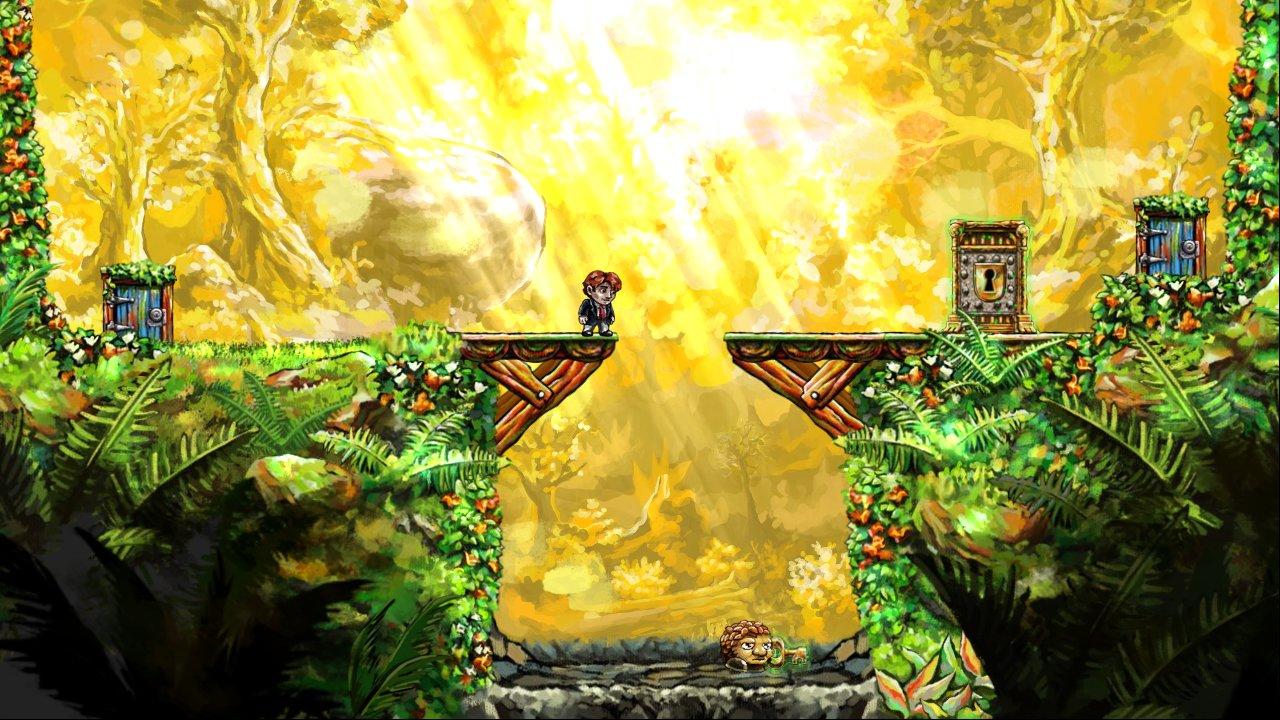
Below is a screen shot from a game called Braid. As you can see, the yellow background is a single image. Similarly the cliff or grassy platform is another image. The bridge is a separate image and the doors too! These images are placed on over the other in layers to give you the illusion of a scene.
In the below screen shot from a game, you can see that single image has been placed near to one another to give you an illusion of a platform. These images are highlighted in yellow . Similarly single fire/lava image has been replicated to give an illusion of a continuous image.
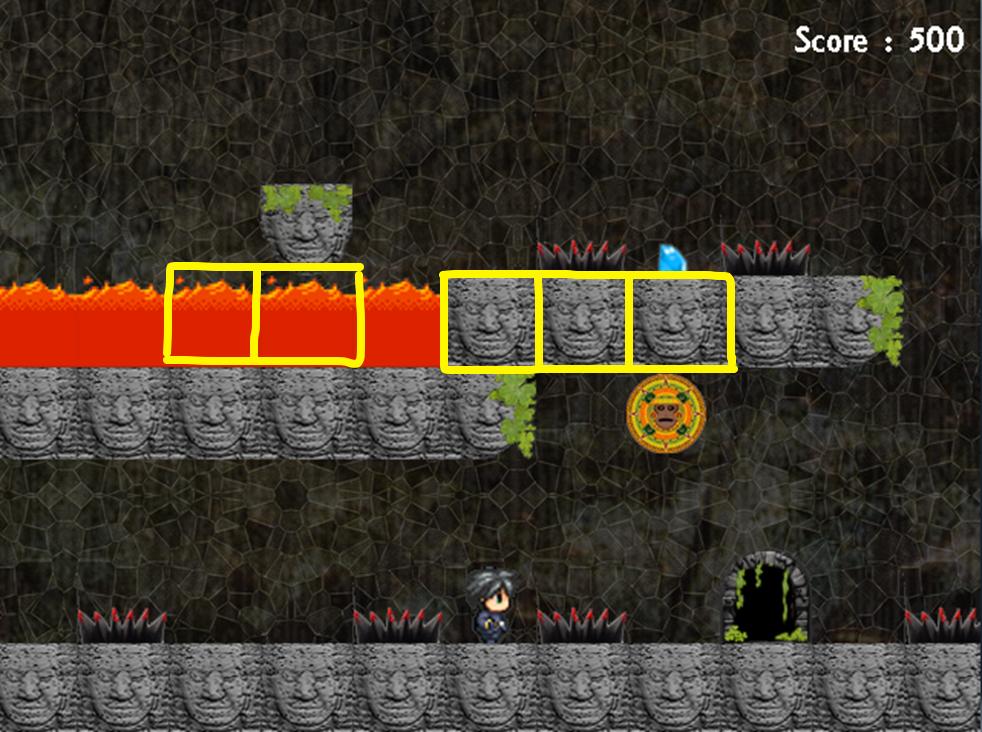
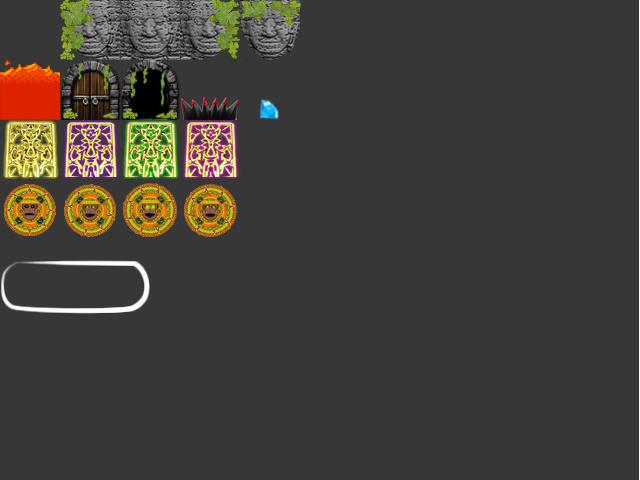
These single images are called tiles. These tiles are taken from a bigger image file generally known as sprite sheet. Below is the sprite sheet of the previous screenshot and you can see that fire/lava and brick are single image.
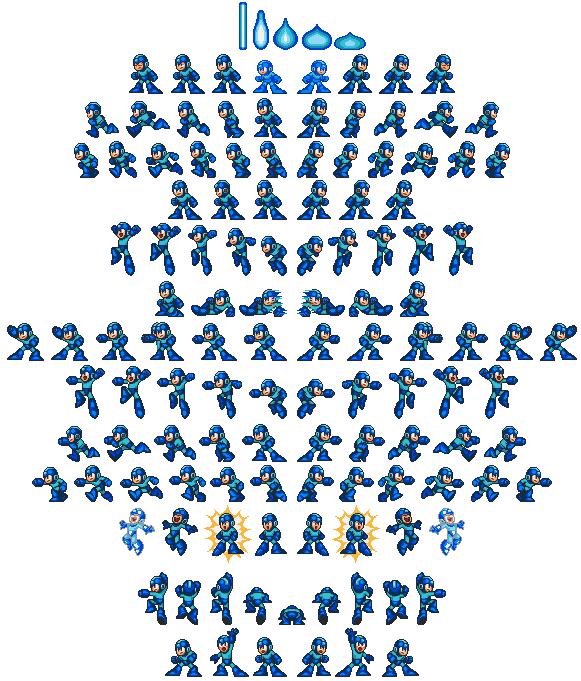
And you would have noticed the characters in 2d games jump and run with small animations. They are also separate images of the character shown in succession one over the other at a very high speed. Such an image file with all possible character movements is called character sprite sheet. The below is the character sprite sheet of a game called Megaman.
Before you move further, you should know the following terms
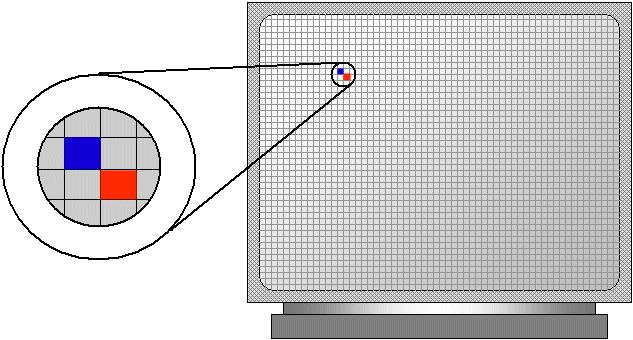
Pixel - Pixel or picture element is the smallest point on a monitor that you can lighten or assign color to.
Frame rate – Frame rate is the speed with which the screen is refreshed within a second. If the frame rate is 20, then the screen is refreshed 20 times within a second
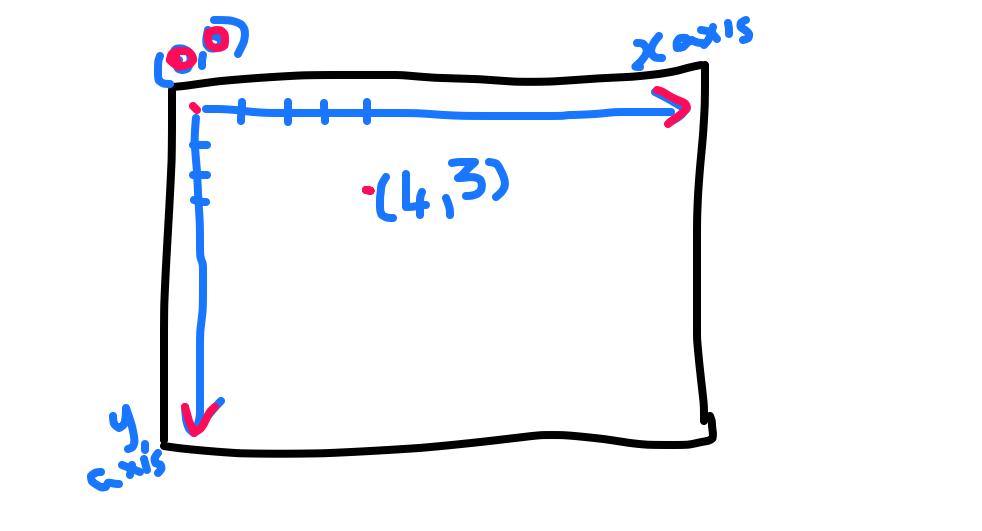
Screen Axis – Like the geometric axis, in screen axis, the origin (0,0) is the top left corner of the screen and x axis increments towards the right and y axis increments towards the bottom of screen.
Rendering - Whenever something is drawn or shown on screen we call it as rendering. Coloring a pixel on screen is also known as rendering.
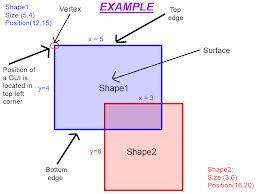
Collision Detection – Collision Detection is the mechanism to find whether two objects on screen are colliding or not. Checking whether two rectangles collide or not is called rectangular collision detection. Here shape1 and shape2 are colliding with each other.
Having known all this, we’ll see what a game loop is. Irrespective of whether a game is 2d or 3d, the following game loop will be used in the game.
Game Loop:
1. Get Input
2. Process
3. Perform AI
4. Render
5. Goto step 1
Initially you get the input from the user. You process the input and change values of the objects in the game. Perform AI (Artificial Intelligence) in the game. AI can be the way the enemy moves or the way enemy shoots the hero or anything that sounds like an intelligent action. And then you render everything on screen and again go to step 1. Thus these 4 steps take place in every frame.
In the forthcoming tutorials we’ll be developing small games using a multimedia library called SFML – Simple Fast Multimedia Library.
Basically you need Visual Studio 2010 or higher. If you don’t have, install Visual C++ 2010 Express from the below link ( scroll down a little in the link to find it ).
Visual-Studio
Also download SFML-2.1 from the following link. SFML
In the next post, we’ll set up the project and start creating a small game like ping pong. :)