Follow these steps for setting up a project in Visual Studio for developing stuffs using SFML: (These assumes that you are using Windows platform)
1. Download SFML
Download SFML-2.1 Here
2. Install SFML
Copy SFML-2.1 folder in C Drive.
3. Follow these steps :
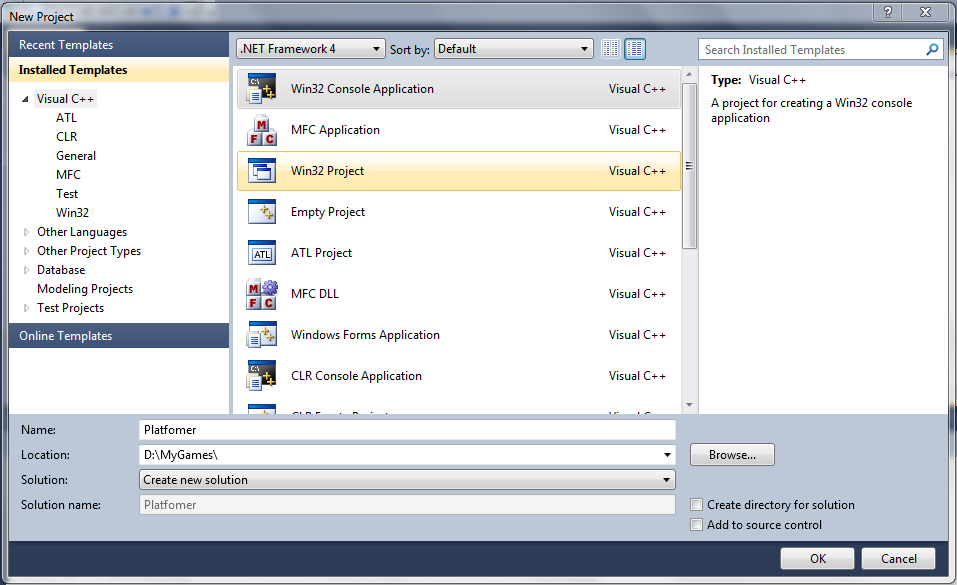
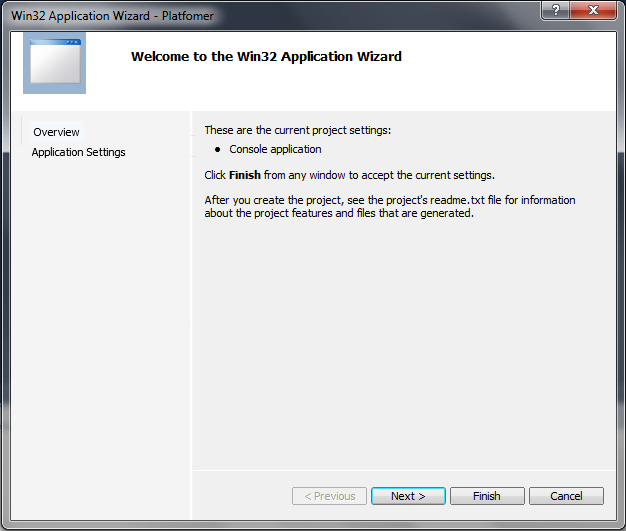
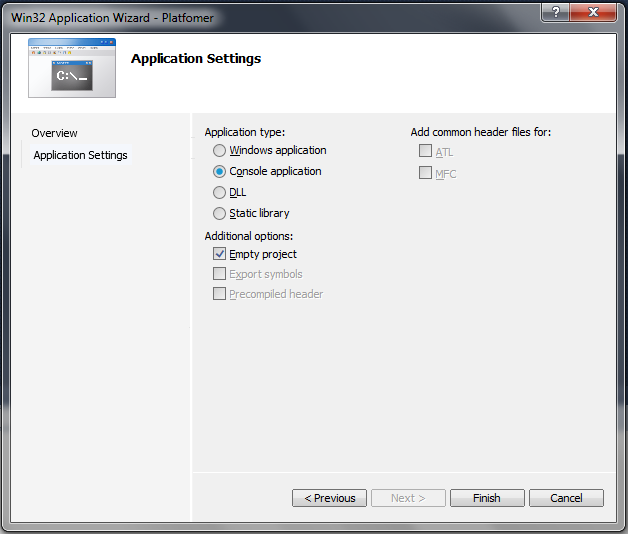
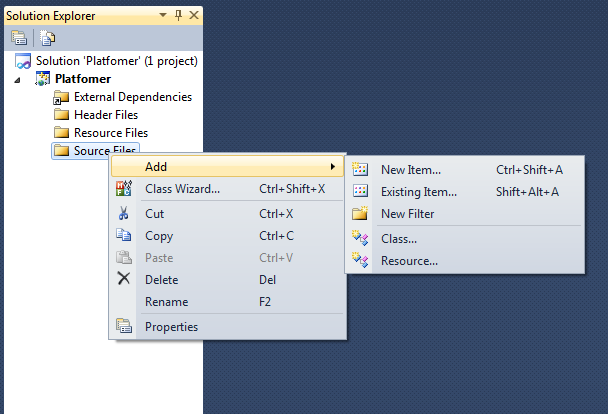

After creating a .cpp file, paste these contents into it:
#include <SFML/Graphics.hpp>

int main()
{
    sf::RenderWindow window(sf::VideoMode(200, 200), "SFML works!");
    sf::CircleShape shape(100.f);
    shape.setFillColor(sf::Color::Green);

    while (window.isOpen())
    {
        sf::Event event;
        while (window.pollEvent(event))
        {
            if (event.type == sf::Event::Closed)
                window.close();
        }

        window.clear();
        window.draw(shape);
        window.display();
    }

    return 0;
}
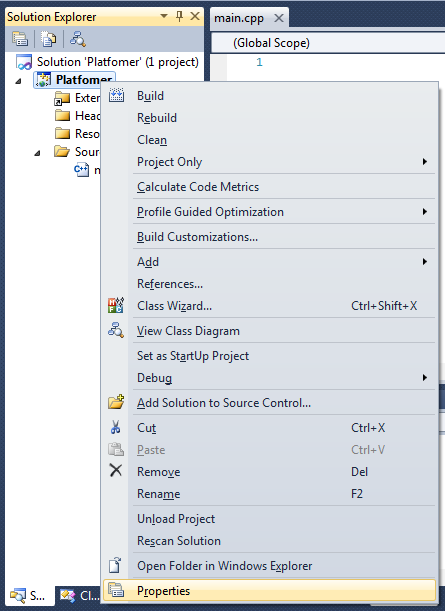
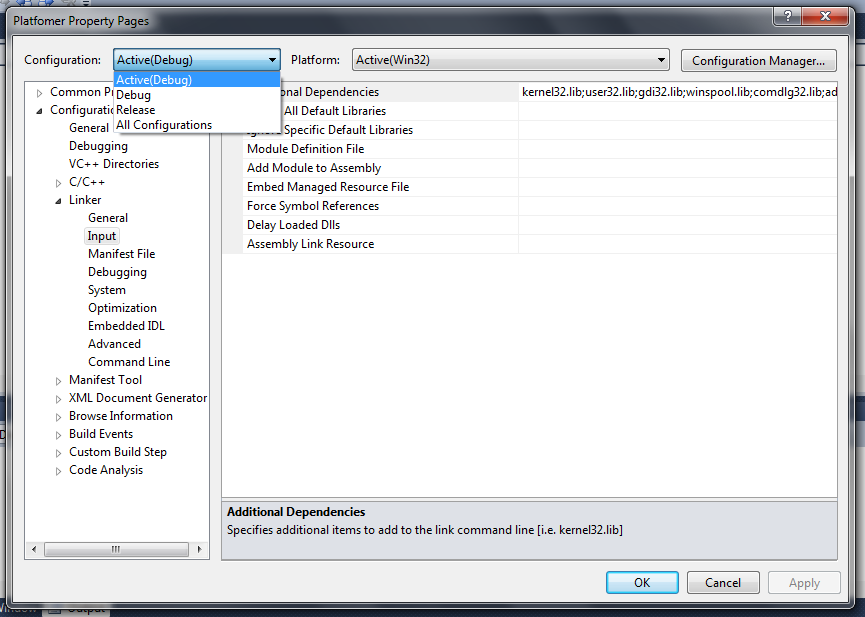
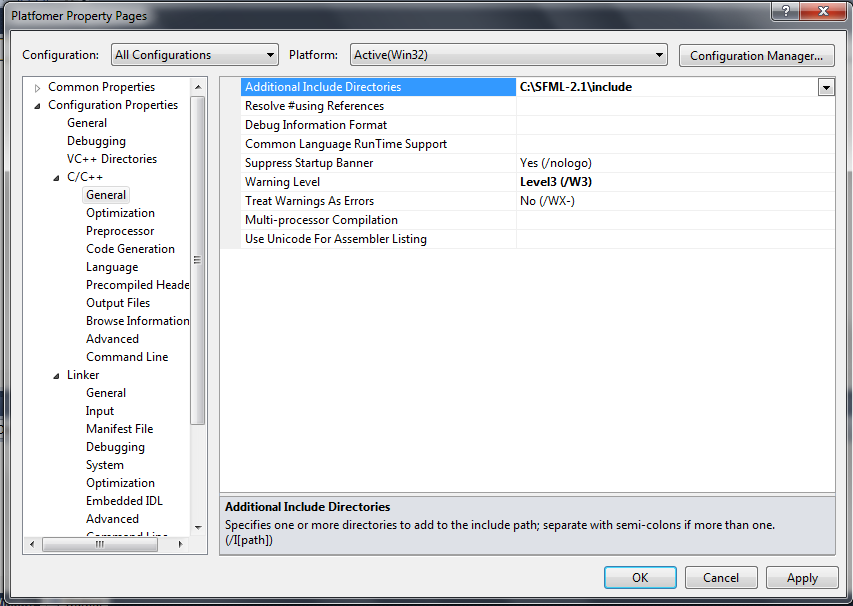
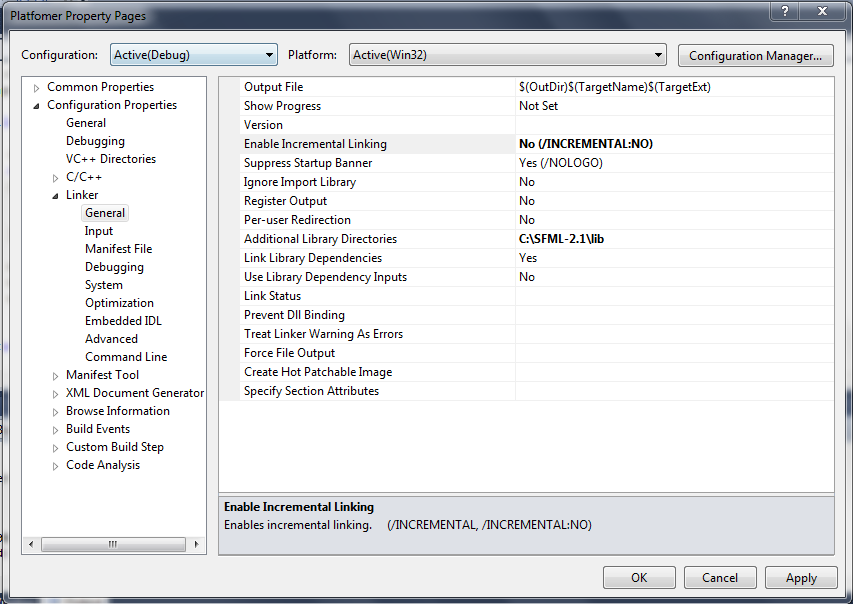
NOTE: If you are using Visual Studio 2013 or higher versions, change Enable Incremental Linking to Yes.
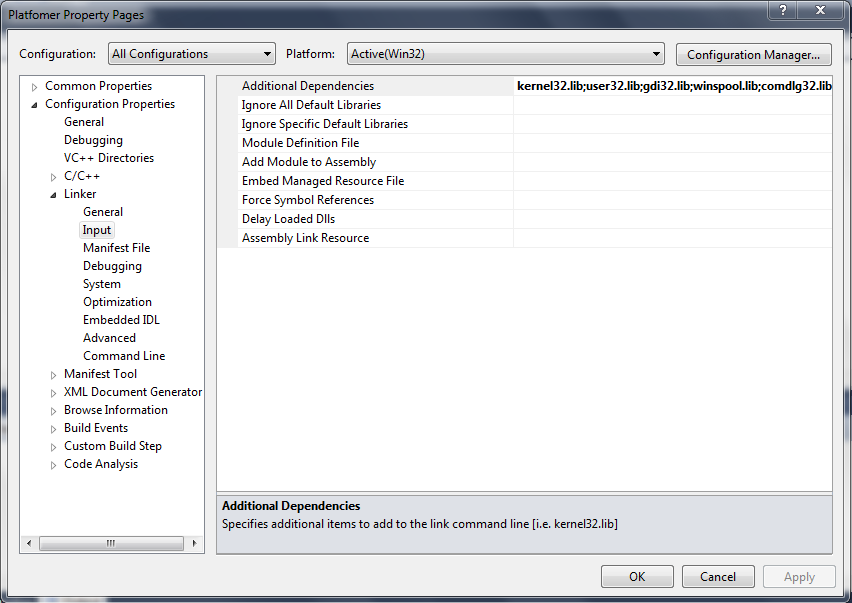
Once you finish these and before debugging the project, copy the contents of bin folder in SFML-2.1 directory (that you already have in C Drive) to the debug folder in your Project's Directory. This is very important step!
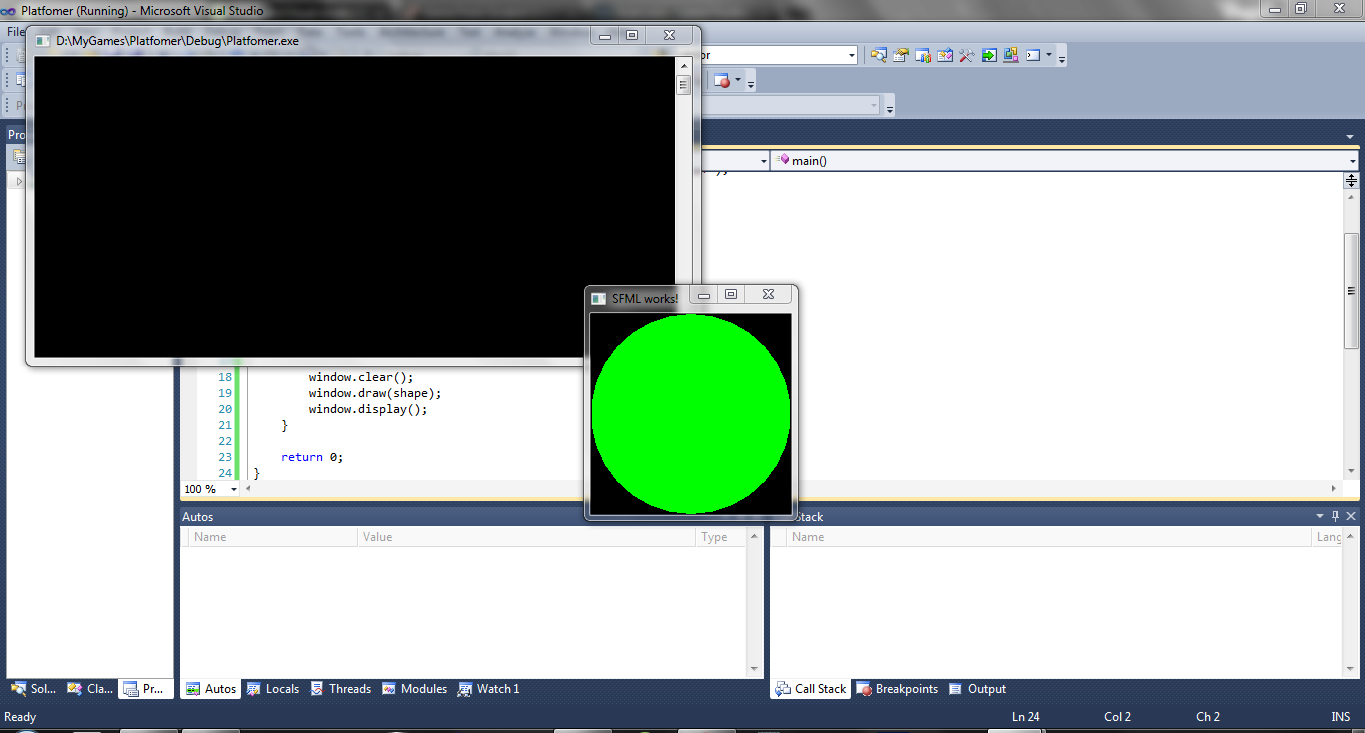
After that debug the project and Here it works! :)
For More reference visit This
If you have any problems in setting up the project, do comment here or in our Facebook group!